

We may earn a commission when you buy through links on this page, at no extra cost to you. As an Amazon Associate we earn from qualifying purchases. Learn more.
Most smart home security advice assumes you own the walls you’re bolting things to. Renters don’t have that luxury, and a broken lease clause over a drilled deadbolt or a wall-mounted camera bracket can cost a security deposit fast. This guide separates the components that are genuinely damage-free from the ones marketed as “renter-friendly” that still leave screw holes, and gives one clear system recommendation backed by manufacturer specs and widely reported owner experience.
The picks at a glance
- Our pick: SimpliSafe Home Security System: best for renters who want a full alarm system with sensors, a base station, and optional monitoring, all self-installed with adhesive. Check price ›
- Budget pick: Wyze Cam v3 paired with the Wyze Sense Starter Kit: for renters who just want camera coverage and basic entry alerts without a monthly bill. Check price ›
- Upgrade pick: Ring Alarm Pro: for renters who want built-in mesh Wi-Fi backup alongside the alarm, still fully peel-and-stick. Check price ›
Our pick: The SimpliSafe Home Security System is the strongest renter-friendly option because every sensor, keypad, and camera mount attaches with adhesive pads rather than screws, the base station runs on battery backup with optional cellular connectivity, and the whole kit uninstalls in minutes when you move. Manufacturer documentation and long-running owner reviews consistently describe it as one of the few full alarm systems designed from the start for non-permanent installation.
What Actually Violates a Lease (And What Doesn’t)
Drilling, Wiring, and Permanent Mounts
The clearest lease violation is anything that requires a drill: camera brackets screwed into siding, video doorbells that replace existing wiring, or smart locks that swap out the entire deadbolt cylinder. These leave holes, altered wiring, or hardware that doesn’t match what was there before. If a device’s installation guide mentions a drill bit size, treat it as a homeowner product, not a rental option.
The Landlord Gray Zone: Doorbells and Peepholes
Video doorbells are the most common gray area in smart home security for beginners, because many renters assume any doorbell swap is fine. Replacing a wired doorbell button with a hardwired smart doorbell often means cutting into existing low-voltage wiring, which many leases classify as an alteration. Battery-only doorbells that mount over the existing button with adhesive, or peephole cameras that slide into the existing door viewer, avoid this problem entirely.
The Renter-Friendly Toolkit: Components That Are Truly Damage-Free
Adhesive and Magnetic Mounts
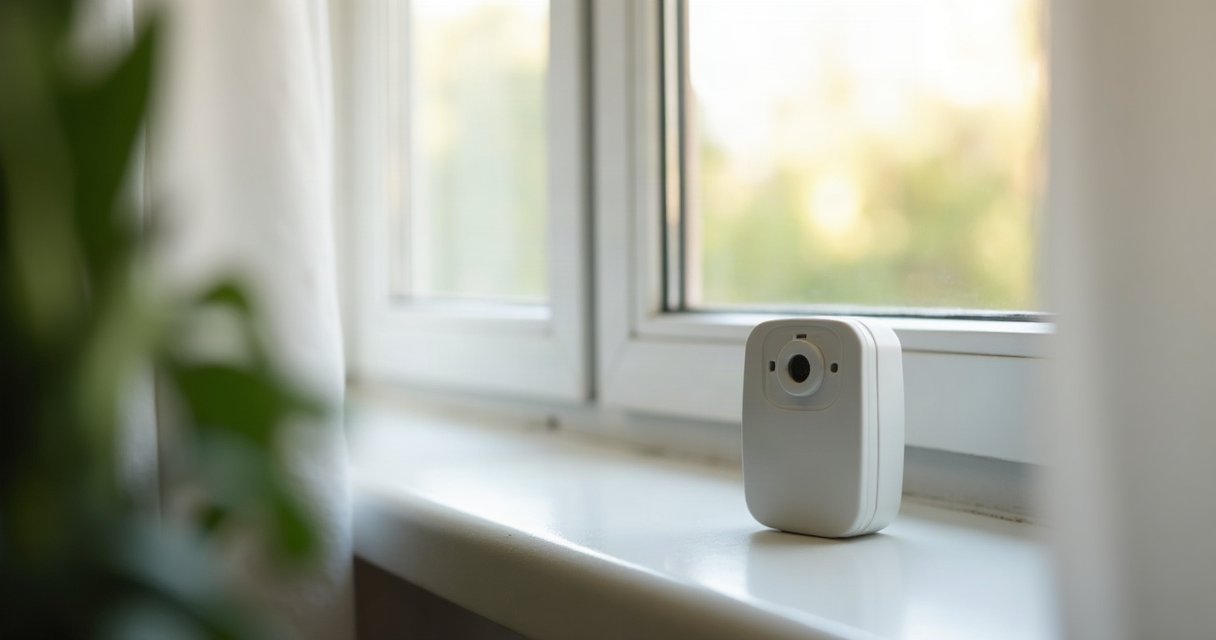
Genuinely damage-free hardware uses either high-bond adhesive pads (the kind rated for indoor and outdoor temperature swings, not generic double-sided tape) or a magnetic base plate that itself is adhesive-mounted. Entry sensors from SimpliSafe and Ring both use adhesive strips rated to hold through normal door and window vibration. Camera mounts from Wyze and the Google Nest Cam (battery) use a metal plate stuck to the wall, with the camera itself attaching magnetically, so repositioning doesn’t mean repeating the adhesive step.
Battery-Powered Sensors and Locks
Battery power matters as much as the mount, because anything that needs a wired power run usually means an electrician and a hole in the wall. Entry sensors, motion detectors, and even the base stations in these kits run on standard batteries with 1 to 2 year rated life. This also means no dependence on an outlet placement that may not exist where you need coverage.
Wireless Hubs That Need No Ethernet Drop
A base station or hub that requires a hardwired internet connection can lock you into running an ethernet cable through walls or under doors. The renter-friendly hubs in this category, including SimpliSafe’s base station and Ring Alarm’s hub, connect over Wi-Fi or cellular backup, so setup is entirely plug-and-place.
Our Pick in Detail: SimpliSafe Home Security System
SimpliSafe’s core kit (commonly sold as the Foundation or Essentials bundle) typically runs in the $250 to $500 range depending on sensor count, with monitoring plans separately priced from about $20 to $30 a month if you choose professional monitoring. Every door and window sensor uses adhesive backing rated for both mount and demount, and SimpliSafe’s own marketing materials specifically highlight this design as suited for renters and apartment dwellers who can’t drill or wire permanent hardware. The base station and keypad are also adhesive-optional, meaning they can simply sit on a shelf or table instead of being mounted at all.
Owner feedback collected across retailer reviews and forums repeatedly mentions two things: the adhesive holds through moves without wall damage, and the self-monitoring option (no contract) is a major draw for short-term leases. The trade-off is that SimpliSafe’s cameras are considered adequate rather than best-in-class for image quality, so pair it with a dedicated camera if video detail is a priority.
Budget Pick: Wyze Cam v3 and Sense Starter Kit
For renters who mainly want camera coverage plus a couple of entry sensors, the Wyze Cam v3 combined with the Wyze Sense Starter Kit is the cheapest legitimate option, typically totaling $60 to $100 for a camera and two to three sensors. The camera’s magnetic mount sticks to a included metal plate, and the sensors use adhesive pads identical in function to SimpliSafe’s. Wyze also offers local microSD storage, which sidesteps the subscription question entirely for anyone who doesn’t need cloud clips.
The honest limitation here is that Wyze’s ecosystem is a collection of point products rather than an integrated alarm system. There’s no professional monitoring option, no loud on-device siren by default, and the mobile alerts depend entirely on your phone being nearby. It’s a strong starting kit for smart home security for beginners, but it’s not a replacement for a monitored alarm if that’s the goal.
Upgrade Pick: Ring Alarm Pro
Ring Alarm Pro is functionally similar to the standard Ring Alarm kit but bundles an eero mesh Wi-Fi router into the base station, which is genuinely useful in apartments with weak signal in back bedrooms or basements. Pricing typically runs $250 to $350 for a starter kit with a handful of sensors, with optional Ring Protect Pro monitoring around $20 a month. Every sensor in the kit mounts with adhesive strips, matching the same damage-free standard as SimpliSafe.
The main reason to pick this over the base SimpliSafe kit is the built-in mesh networking, which solves a common apartment problem: sensors on the far side of a unit dropping connection to a hub sitting near the router. If your current Wi-Fi already covers the whole apartment reliably, this upgrade adds cost without adding much practical benefit.
The Smart Lock Exception: August Wi-Fi Smart Lock
Smart locks deserve a separate call-out because most of them are not damage-free by design. Locks that replace the entire deadbolt cylinder require permanent hardware swaps and typically need the original hardware reinstalled before move-out, which some renters lose or damage in the process. The August Wi-Fi Smart Lock is the notable exception: it retrofits over your existing deadbolt from the inside, leaving the exterior keyway and all original hardware untouched.
Installation is genuinely reversible in minutes, and August’s product materials describe this retrofit design as well suited for renters who need to preserve the original lock hardware. Typical pricing runs $150 to $230 depending on the model generation. The trade-off is that because it retains your existing exterior lock, the smart features (auto-lock, remote access, activity log) apply only from the inside mechanism, so a housemate’s mechanical key still works exactly as before.
Common Smart Home Security Mistakes Renters Make
Assuming “Wireless” Means “Damage-Free”
A device can be wireless in its data connection and still require a drilled mount. Always check the installation manual specifically for mount type, not just connectivity, before buying.
Skipping the Move-In Photo Record
Take dated photos of every door, window frame, and wall spot before installing any adhesive hardware. This protects your deposit if a landlord later disputes whether existing marks were caused by your equipment.
Ignoring Lease Language on “Alterations”
Many leases define alterations broadly enough to include adhesive-mounted hardware if it’s affixed to painted surfaces long enough to pull paint on removal. Testing adhesive on an inconspicuous spot first, and using manufacturer-approved removal techniques (usually gentle heat plus slow peeling), avoids this entirely.
Over-Relying on a Single Device Type
A doorbell camera alone doesn’t cover side entries, and window sensors alone don’t catch someone already inside. A basic smart home security setup for beginners should combine at least one camera, entry sensors on primary doors, and a loud local siren or alert, which is exactly the combination SimpliSafe and Ring Alarm bundle by default.
Smart Home Security for Beginners: A Simple Install Order
Start with entry sensors on the front and back doors, since these catch the highest-probability entry points first. Add a camera covering the main entrance next, ideally one with a wide field of view and night vision rated to at least 15 feet. Only after those two layers are in place should you consider a smart lock retrofit or interior motion sensors, since they address secondary scenarios rather than the primary risk.
Honest Coverage Gaps Versus Wired Systems
Battery-powered, adhesive-mounted systems have real limitations compared to professionally wired alarm installations, and it’s worth being direct about them. Wired systems typically offer continuous power with no battery replacement cycle, hardwired sensors that can’t be jammed by RF interference as easily, and professional installation that verifies sensor placement against blind spots. Renter-friendly kits trade some of that reliability for flexibility and reversibility.
Battery life is the most cited real-world gap: entry sensors typically last 1 to 2 years, matching the rated life noted earlier, but a dead battery means a silent gap in coverage until you notice the app’s low-battery alert. Wireless jamming is rare in residential burglary, but wireless sensors are generally more susceptible to RF interference or signal jamming than hardwired sensor loops, a widely acknowledged limitation of wireless security systems. For most apartment and rental scenarios, this is an acceptable trade-off given that the alternative (a wired system) isn’t available to renters at all without landlord permission and a licensed installer.
FAQ
Does using adhesive-mounted sensors ever void a security deposit?
It’s uncommon, but paint damage from low-quality adhesive or leaving devices mounted for years can leave residue or peel marks. Using manufacturer-specified adhesive strips and removing them within the recommended timeframe (usually stated in the product manual) minimizes this risk.
Can I use a renter-friendly system without any monthly subscription?
Yes. Both SimpliSafe and Ring Alarm support self-monitoring through the app at no monthly cost, though professional monitoring with police dispatch requires a paid plan. Wyze’s local storage option also avoids subscriptions entirely for camera footage.
Is a battery-powered system less secure than a wired one?
It offers slightly less continuous reliability due to battery cycles and marginally easier RF interference, but for typical apartment burglary patterns, sensor placement and camera coverage matter far more than the power source. Most reported break-in deterrence comes from visible cameras and loud sirens, both of which work identically on battery power.

